
Download Patch – local news, news app, community news, news for residents, Patch app, local updates, neighborhood news, town news, local stories, news from your area
Overview
Patch is designed as a desktop application tailored for individuals seeking timely and relevant information about their local communities. The software positions itself as a comprehensive source of local news, delivering updates on events, developments, and stories that impact residents directly. It also includes coverage of national and international news, providing a balanced mix of regional and broader perspectives. The primary purpose of Patch is to centralize news content—both current and historical—into a single, accessible platform, enabling users to stay informed without navigating multiple sources.
Target users include everyday residents, community members, and families who prioritize staying updated on local happenings such as school board decisions, local politics, sports events, and neighborhood activities. The application supports content sharing, allowing users to quickly distribute news and stories to friends and family through a simple interface. While the developer is identified as Patch, no further details about the organization’s background or history are available. Real-world usage scenarios include monitoring local government announcements, discovering community events, and keeping up with regional developments—all from a single desktop interface.
Key Features & Capabilities
- Local News Aggregation – The application compiles news stories from local sources, focusing on issues that directly affect residents, such as city council meetings, school updates, and local crime reports.
- Historical and Current Story Access – Users can browse both recent and archived articles, enabling them to review past events or track long-term community developments.
- Multi-Topic Coverage – Content spans politics, sports, entertainment, education, and lifestyle, ensuring relevance across diverse user interests.
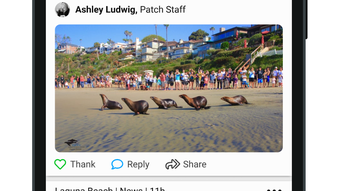
- One-Tap Sharing – News articles and events can be shared directly with contacts through integrated sharing tools, reducing the need for external messaging apps.
- Desktop Accessibility – Available for Windows and Mac, Patch allows users to access local news on their primary computing devices, enhancing convenience and usability.
- Language Support – The application is available in 11 languages, broadening its accessibility to multilingual users and diverse communities.
These features are designed to streamline how users discover, consume, and share local content. For example, a parent can quickly check school board decisions and share them with other parents via a single tap. A community organizer might use the archive feature to reference past events when planning future initiatives. The desktop format supports longer reading sessions and better multitasking compared to mobile-only alternatives.
User Interface, Workflow & Performance
The user interface of Patch appears to be structured around simplicity and accessibility, prioritizing fast navigation between news categories and story sections. The layout likely includes a central content feed, categorized sidebar, and a search function for locating specific topics or locations. Navigation is expected to be intuitive, minimizing the learning curve for new users. Workflow efficiency is enhanced by features like one-tap sharing and direct access to past articles, allowing users to engage with content without unnecessary steps.
Performance details were not specified by the developer. However, given the application’s size of 125 MB, it is likely optimized for moderate system resources. The developer did not provide additional system requirements, so exact CPU or RAM usage patterns remain unknown. Stability and responsiveness are assumed to be consistent with standard desktop applications of similar scope. Users can expect smooth operation under typical conditions, though real-world performance may vary depending on individual hardware configurations.
Compatibility & System Requirements
Patch is available for both Windows and Mac operating systems, making it accessible to a wide range of desktop users. The software version is 1.0, indicating a stable initial release. The installation size is 125 MB, which is relatively compact for a news application with multimedia content. The developer did not specify exact system requirements, including minimum CPU, RAM, or disk space needs. As such, compatibility with older or low-spec systems cannot be confirmed.
Platform compatibility information is limited. While the app is listed as compatible with both Windows and Mac, no details were provided on specific OS versions (e.g., Windows 10, macOS Sonoma). Users should verify their system’s compatibility with the software before installation. The absence of detailed requirements suggests that the application may be designed to run on modern desktop environments with standard configurations.
Pros and Cons
Pros
- Free to download and use, making it accessible to all users.
- Offers comprehensive local news coverage with national and international context.
- Available on both Windows and Mac, supporting cross-platform accessibility.
- Supports 11 languages, increasing inclusivity for diverse user bases.
- Includes access to both current and archived news stories.
- One-tap sharing simplifies content distribution among friends and family.
Cons
- Exact system requirements were not provided, limiting user confidence in compatibility.
- No information on performance benchmarks or resource usage.
- Limited details on developer background or organizational structure.
- Version 1.0 suggests a new product with potentially untested long-term stability.
- Desktop version lacks details on update frequency or automatic update capabilities.
FAQ Section
Is Patch available for Windows and Mac?
Yes, Patch is compatible with both Windows and Mac operating systems, allowing users to access local news on their desktop devices.
Can I use Patch offline?
The application’s offline functionality was not specified. It is recommended to check connectivity requirements before use.
Is Patch safe to download?
Patch is available for free download. As with any software, users should ensure they are downloading from official or trusted sources to maintain security.
Does Patch require a subscription?
No, Patch is free to use. There is no mention of subscription tiers or in-app purchases in the provided information.
How often are updates released?
The update schedule was not disclosed. Users may need to manually check for new versions or rely on external notifications.
Final Thoughts + CTA
Patch presents a promising desktop solution for users seeking localized news content in a unified, easy-to-use environment. Its focus on community-driven reporting, combined with multi-language support and cross-platform availability, makes it a strong contender for residents who value local insights. While the lack of detailed system requirements and performance data limits deeper evaluation, the application’s core features—such as news aggregation, historical access, and one-tap sharing—deliver clear value.
It is particularly beneficial for families, community leaders, and local event organizers who need reliable, timely updates. The free model enhances accessibility, and the desktop format offers a more immersive experience than mobile alternatives. Despite its early-stage version (1.0), Patch shows potential for growth and refinement.
Download Patch now to stay informed about your neighborhood and beyond.







